Aaptly Social Media

Social posts, planned and written for your business.

Aaptly plans the topics, prepares captions and visuals, and schedules the posts you approve. Your services, photos, news, and customer questions give us something specific to work with.

Content planning · Captions & visuals · Approved publishing

See posts for your business
Sample content
◎InstagramExample business
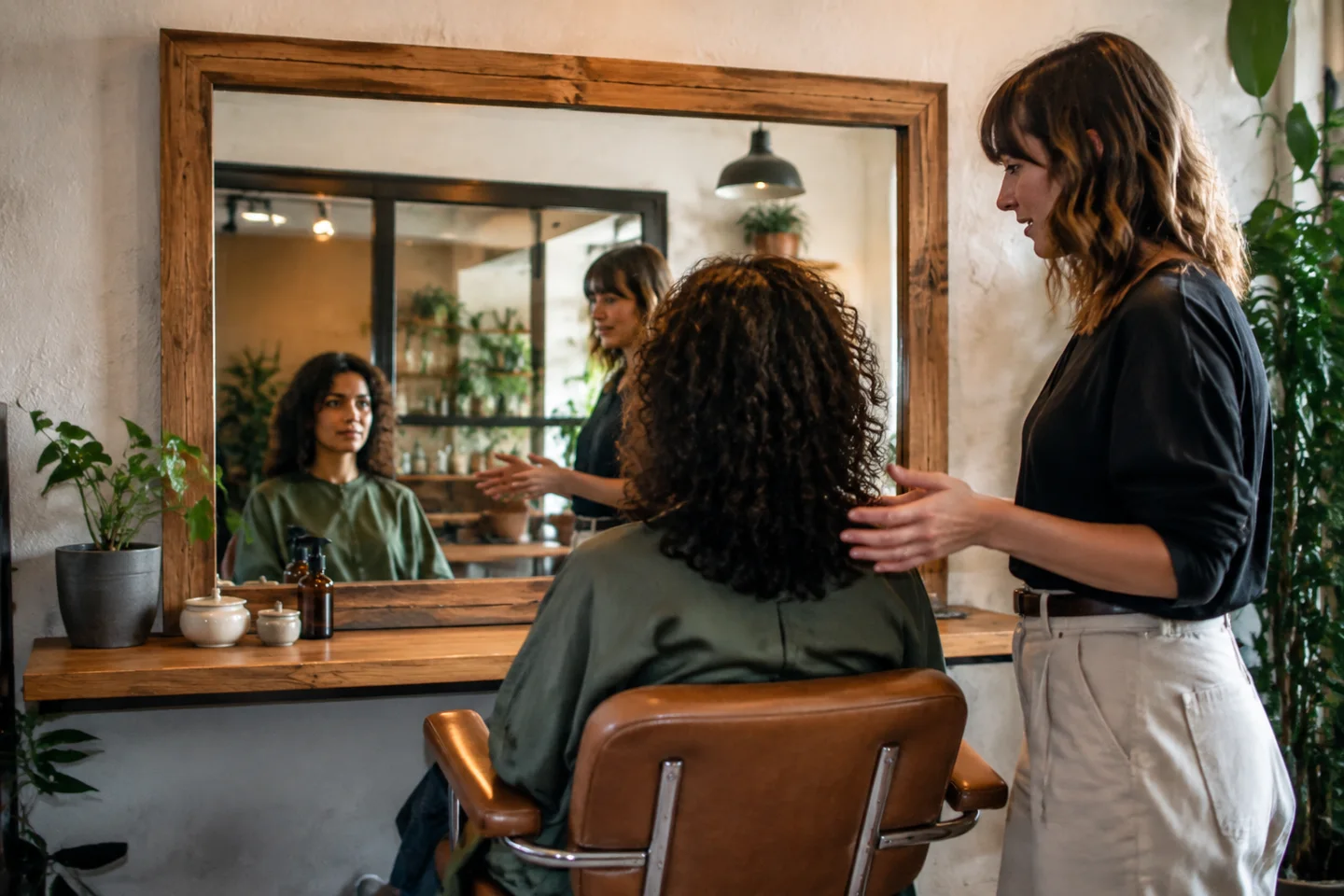
A stylist discussing a client's hair in a salon
Willow Hair StudioA good cut starts with a conversation.Your ideas / Your routine / Your cut

willowhairstudio Bring your ideas, your everyday routine, and the things you’d like to change. We’ll talk through the cut before the scissors come out.#LocalBusiness #willowhairstudio

A topic picked for your business

Service spotlight. Next idea: The styling tips we share at the end of a visit.

A visual post with a caption and a small set of relevant hashtags.

Show the style and the people behind it.

A useful mix of posts

Explain a service.
Answer a question.
Introduce the people.

A week of posts can do more than repeat the same offer. We build a mix around what people want to know about your business, using material you can stand behind.

A sample week for Willow Hair StudioExample content · Frequency depends on your plan
TuesdayService spotlight
A stylist talking with a client about their hairA good cut starts
with a conversation.

Start with the consultation

Explain how you talk through the client’s ideas and everyday routine before choosing a cut.

Material: service information + suitable photo
ThursdayHelpful answer
BEFORE YOUR VISITBring your ideas.
Tell us your routine.

A reference photo.
How you style it.
What you’d like to change.

Answer a common question

Give someone a clear idea of what to bring to the conversation at their next visit.

Material: a real customer question
SaturdayMeet the team
A stylist in a neighborhood salonMeet the person
behind the chair.

Introduce the stylist

Share the stylist’s own approach and the work they enjoy, using approved team information.

Material: team introduction + approved image

What Aaptly takes care of

The work behind
the finished post.

A caption and an image are only part of it. Planning, revisions, account setup, scheduling, and delivery checks keep the work moving from an idea to something customers can see.

01

A plan for what to post

We work from your services, the questions customers ask, the work you can show, and the news you want to share. The plan sets the topic mix, channels, tone, and posting schedule for your business.

Service spotlights, helpful answers, team introductions, business updates, and approved customer stories.

02

Captions with real details

Aaptly prepares the wording from your business information and source material. A post should explain something specific: what a visit involves, how a service works, or what customers should know before contacting you.

Offers, dates, qualifications, and customer quotes need a source. We don’t make them up to fill a calendar.

03

Photos and post artwork

Use photos you send, available business and portfolio images, and suitable Google profile photos. We select visuals, prepare supported post artwork, and match the crop and layout to the post.

You can send photos, news, or an offer through Aaptly. Original shoots and video production are agreed separately.

04

A version for each channel

Adapt the caption, length, hashtags, and visual presentation for the connected channel. Preview the post before approval so the text and image make sense together.

A Facebook Page post, an Instagram feed post, and a short text update do not all need the same presentation.

05

A clear approval and revision step

See the proposed post, its planned time, and what it is based on. Approve it, ask for a different image or wording, or skip it. A revised draft comes back for your approval.

Eligible scheduled posts can also be stopped or sent back for a change before the publishing cutoff.

06

Scheduling, delivery, and follow-through

Approved posts go into the agreed schedule. Aaptly checks each channel’s delivery result and handles publishing issues. You can see which posts are scheduled, which are live, and whether anything still needs attention.

A submission is not a published post. The channel has to confirm delivery; an expired connection may need your authorization to reconnect.

Posts that fit the channel

A different setting
for the same business.

Choose channels that suit your content and customers. We confirm account access and the formats that can be published before adding them to the plan.

Try the channel previews above

Instagram & Facebook Pages

Image-led feed posts, captions, and supported publishing. Instagram needs suitable media; the example shows a feed post, not a Reel or Story.

LinkedIn

Company updates, service explanations, and team stories with a caption suited to the professional setting.

X, Threads & Bluesky

Text-and-image updates with caption versions that fit each channel’s length and presentation.

Google Business Profile

Business updates with a relevant image and next step, through Aaptly’s separate Google post workflow.

Video, photography sessions, additional channels, and other formats need their own agreed scope. Publishing access and social message coverage are separate.

Results that inform the next posts

See what people noticed.
Decide what to build on.

Read the available results for each published post. Look at the topic, image, and response together when planning the next batch.

Post resultsAugust 1–31, 2026 · Sample data
Post / channelReachInteractions
The consultationInstagram
840
50likes, comments,
shares & saves
Styling at homeFacebook
620
34likes, comments,
shares & saves
Meet the teamLinkedIn
360
18likes, comments,
shares & saves

Reach is per post; the same person may appear in more than one post’s audience. Interactions add the available likes, comments, shares, and saves.

Example of channel-reported results. Unavailable metrics are not treated as zero.

Know what actually went live

See confirmed publishing outcomes and available links to the live posts. If one channel fails, its outcome stays separate from the channels that succeeded.

Read the metrics the channel provides

Depending on the channel and format: reach, impressions, reactions, comments, shares, saves, clicks, and video views. Results carry their source and last update.

Use the detail in the next content plan

Look for useful patterns across posts. A post that gets attention can guide a follow-up topic; it does not prove a sale or guarantee the next post will perform the same way.

Recent figures can change. Organic post reporting keeps paid activity separate, and missing results stay distinct from measured zeros.

Content with a reason to belong

Every industry has
different things to show.

A repair shop, a practice, and a salon should not sound interchangeable. Choose any of the 34 business types in the preview to see a relevant post and its channel versions.

Home services

HVACPlumbersElectriciansRoofersLandscapingCleaning ServicesPest ControlLocksmithsGarage Door CompaniesAppliance RepairHandyman ServicesPaintersCarpet CleanersPool ServiceMoving Companies

Show the work and explain the visit.

Service explainers, project photos, estimates, seasonal questions, and the team on site.

Med spas

Med Spas

Make the consultation approachable.

Team introductions, the consultation process, the space, and owner-approved service information.

Salons & beauty

Hair SalonsNail SalonsLash & Brow StudiosDay SpasMassage Therapy

Show the style and the people behind it.

Work with permission to share, consultations, styling details, aftercare, and studio news.

Medical & dental

DentistsDermatologistsChiropractorsPhysical Therapy

Help people get to know the practice.

Clinician and team introductions, visiting information, office updates, and reviewed service explanations.

Legal

Attorneys & Law Firms

Explain the firm’s approach.

Practice information, the consultation process, team introductions, and communication expectations.

Automotive

Auto Repair

Make the work easier to understand.

Workshop photos, repair explanations, estimates, handovers, and the people working on the cars.

Fitness

Gyms & Fitness CentersYoga StudiosPersonal Trainers

Help someone picture their first visit.

Coach introductions, class formats, the facilities, first-visit questions, and business updates.

Pet care

Pet GroomersVeterinarians

Show the care and communication.

Team introductions, grooming work with permission, practice information, and visit expectations.

Barbershops

Barbershops

Put the cut and the shop on display.

Cuts and finishes, barber introductions, consultation tips, and shop news.

Tattoo studios

Tattoo Studios

Give the work its context.

Artist styles, drawings, work with permission to share, consultations, and aftercare information.

Getting started

We do the setup.
You bring the business.

Aaptly handles configuration and publishing checks. You provide the business details, grant required account access, and decide whether a post is right for your customers.

01

Agree the content plan

Confirm the channels, number of posts, topics, tone, formats, and any extra production work. Set who can approve the posts.

02

Share access and material

Authorize the accounts when the channel requires it. Share services, photos, team details, offers, and topics to avoid. We guide the connection.

03

Review your first drafts

See the captions, visuals, source material, and proposed dates. Approve, ask for a change, or skip. Aaptly takes care of the agreed publishing work.

Have a photo or an update?

Send it through Aaptly’s Social Media page. You can see what you sent and whether it has been used in a post.

See the process

Your plan or service order defines the recurring work. Paid ads, photography shoots, and video production are scoped separately.

See plans

A few practical details

Questions about
social media.

What does Aaptly actually create?

The agreed content plan, captions, channel versions, and supported post visuals. Posts use your business facts, services, available photos, news, and approved customer material. The number of posts, channels, formats, and production work are defined in your plan or service order.

Which channels can you post to?

The regular text-and-image workflow supports connected Instagram, Facebook Pages, LinkedIn, X, Threads, and Bluesky accounts. Google Business Profile updates have a separate supported workflow. Account eligibility, media, and format requirements still apply. We confirm additional channels and formats during setup.

Will anything publish without my approval?

Aaptly-prepared social drafts in this workflow wait for your approval. You can approve, request a change, or skip a post. An unapproved draft does not quietly become a published post.

Can I change a scheduled post?

Eligible scheduled posts can be stopped or sent back for a change while there is time before publishing. The current cutoff is five minutes before the scheduled time. A changed Aaptly draft returns for your approval. If the channel cannot stop the post, Aaptly shows that outcome instead of claiming it was cancelled.

Do I need to take photos or write the captions?

Aaptly writes the captions. Your own photos and business updates help make the posts specific, and you can send them through the Social Media page. We also work with suitable material already available from your business. We agree any photography session, design work, or other production needs in advance.

Does this include Reels, TikTok, or YouTube videos?

The examples here show text-and-image posts. Video needs suitable footage, production, account support, and format checks. Reels, TikTok, YouTube, and other video work must be confirmed in the scope; connecting an account does not automatically include video creation or every publishing format.

What results can I see?

Available channel data can include reach, impressions, likes, comments, shares, saves, clicks, and video views. Results are shown with their source and last update. Not every channel supplies every metric, recent figures can change, and reach across posts or channels is not a count of unique people for the whole business.

Are paid ads and customer messages included?

Paid campaigns sit under Advertising, with separately agreed fees and spend. Supported social messages can connect to Aaptly’s inbox, but inbox coverage and responsibility for replies are confirmed separately. A publishing plan alone does not mean every message or comment is being answered.

See the work before you decide

Let’s plan your next posts.

We’ll walk through the content, approvals, channels, and costs for your business.

Book a social media walkthrough